A social app where you decide who gets each version of you.
Private social media built around real visibility — not a settings page you forget to update.
Most social media apps ask you to make one decision about who you are online — and then hold you to it forever. Private social media works differently. Legacy Ping lets you choose who sees each individual post, not just your whole profile.
Share privately when the moment is just for you. Share with your connections when it belongs to your circle. Go public when you want the wider room. That choice lives on every post, not buried in a settings menu you visited once and never touched again.
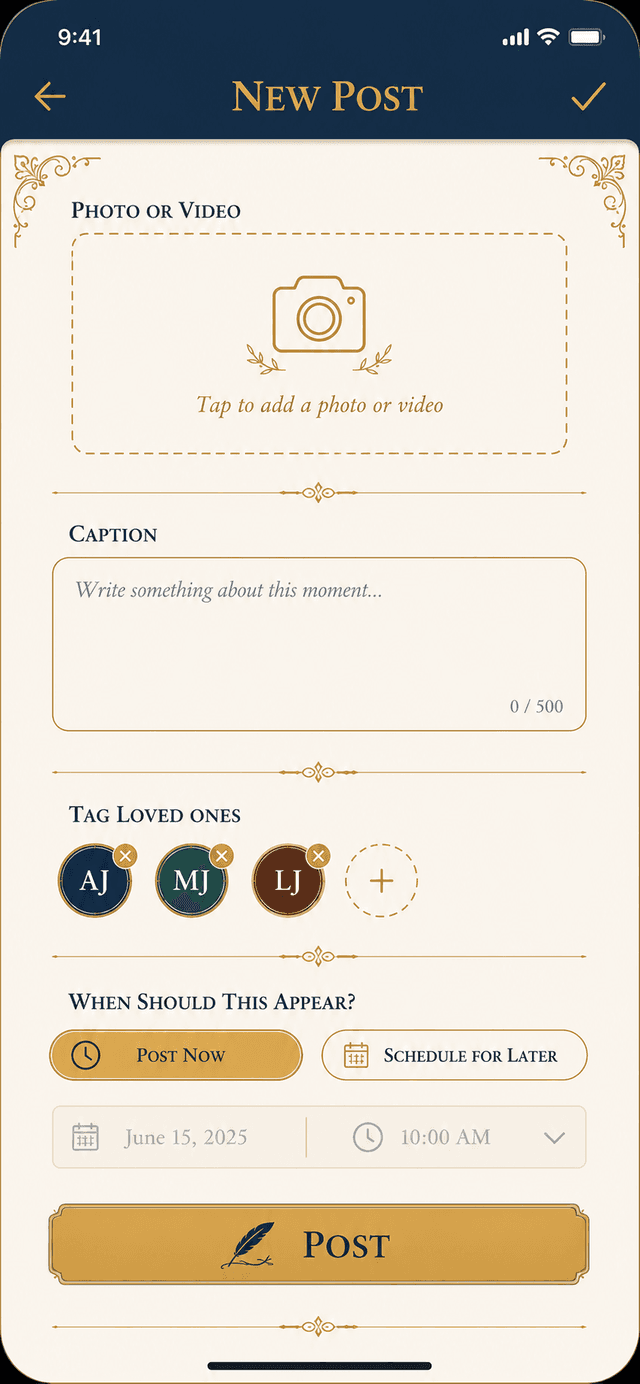
Visibility that moves with you, not against you.
The problem with most social apps is that they treat privacy as a single dial — public or private. The reality of how people actually share is more nuanced. Some posts are for everyone. Some are for close friends. Some are just for yourself.
Legacy Ping builds that nuance into every post. You are not overriding a global setting. You are making a decision that belongs to this specific memory, this specific moment.
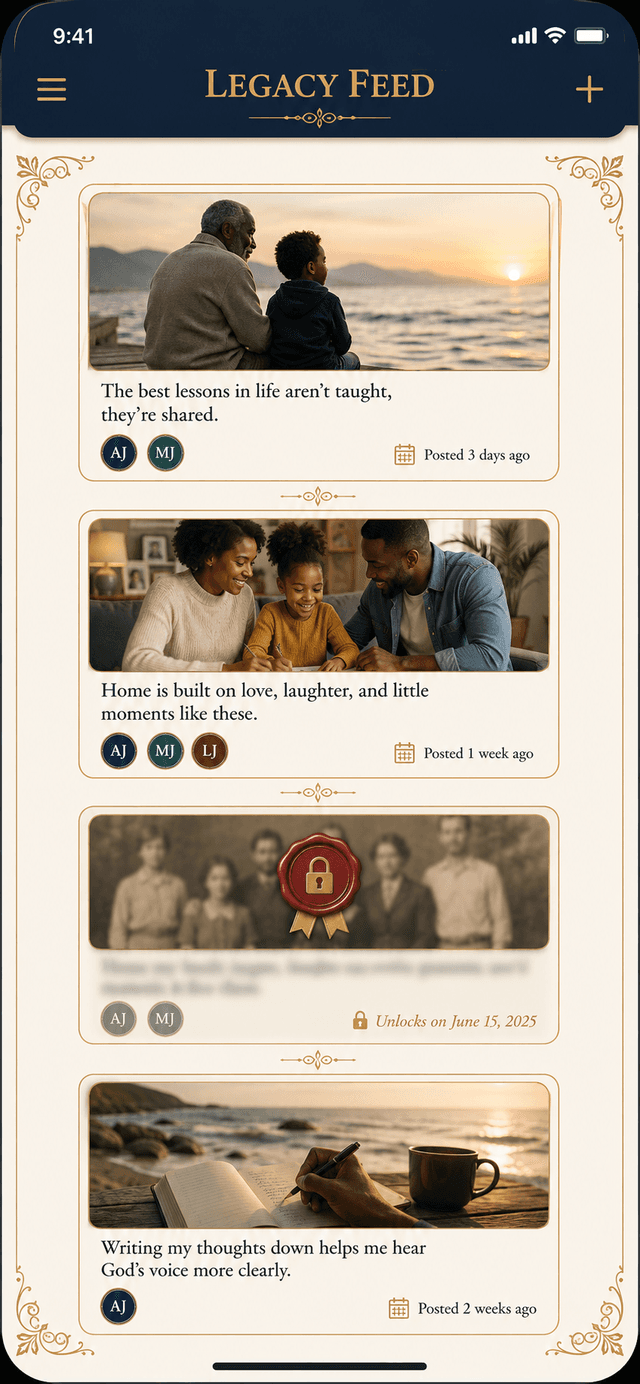
Private does not mean invisible — it means intentional.
Choosing Private on a post does not make it disappear. It means you chose to keep it. The memory is preserved in your Legacy Feed for as long as you want it there — just not broadcast to people who do not need to see it. Some posts are for you. Legacy Ping is built with that as a first-class choice, not an afterthought.
Questions about a social app where you decide who gets e…
- Can I change who sees a post after I have already shared it?
- Yes. You can update a post's visibility after publishing. If you shared something with Connections and later want to make it Private, you can change it. The post updates for anyone who has not already seen it.
- Does the Private setting mean even Legacy Ping cannot see it?
- Private visibility controls who sees your post in the Legacy Ping feed — other users cannot see it. For specific details about data storage and privacy, see the full Privacy Policy. If you have questions about how your data is handled, contact the team directly at info@legacymessage.com.
- Is this different from just making my whole account private?
- Significantly. A private account means everything is locked — you give up public sharing entirely. Legacy Ping's visibility is per-post. You can share one post publicly for discovery, keep another in your circle, and save a third just for yourself — all from the same account.
- Can I use Legacy Ping as a private diary app?
- Yes. If every post you create is set to Private, your Legacy Feed functions as a personal, date-stamped record of your life that no one else can see. Many people use it exactly this way alongside posts they do share.
Your future inbox has nothing in it yet.
Start with one post. One memory. One message. That is enough.
JOIN THE WAITLIST